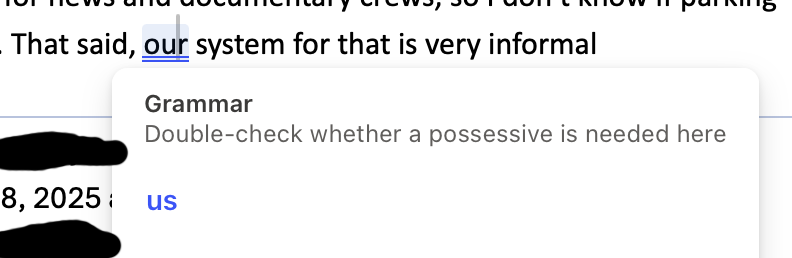
Microsoft's latest update to Outlook for Mac has reinstated the absolutely awful AI-powered grammar advisor.
-
Microsoft's latest update to Outlook for Mac has reinstated the absolutely awful AI-powered grammar advisor.
This tool is SO AWFUL and there is no way to turn it off. The Microsoft forums are full of people asking how to turn it off and AI-customer service representatives saying "I understand how frustrating this must be for you" and then providing completely useless advice that doesn't apply at all.
-
@MLE_online same on windows also infuriated by it also can't figure out how to turn it off.
-
@smellsofbikes @MLE_online Try going to Options → Trust center → Trust center options (button) → Privacy options → Privacy settings (button) → uncheck Connected experiences (wording may be a bit different, I don't have English Office installed here)
-
@jernej__s @smellsofbikes @MLE_online
I guess the people who is able to hexedit the executables to replace the parts making stoopid things with a line of NOP instructions generally avoid those programs.